Intro to Webflow Tutorial training course
Questions


Student Gallery
Be the first to share something.
Course info
Overview
You can get Webflow by clicking here.

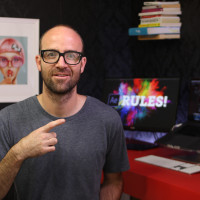
Daniel Walter Scott
Founder of Bring Your Own Laptop & Chief Instructor
I discovered the world of design as an art student when I stumbled upon a lab full of green & blue iMac G3’s. My initial curiosity around using the computer to create ‘art’ developed into a full-blown passion, eventually leading me to become a digital designer and founder of Bring Your Own Laptop.
Sharing and teaching are a huge part of who I am. As a certified Adobe instructor, I've had the honor of winning multiple Adobe teaching awards at their annual MAX conference. I see Bring Your Own Laptop as the supportive community I wished for when I was first starting out and intimidated by design. Through teaching, I hope to bring others along for the ride and empower my students to bring their stories, labors of love, and art into the world.
True to my Kiwi roots, I've lived in many places, and currently, I reside in Ireland with my wife and kids.
Certificates
We’re awarding certificates for this course!
Check out the How to earn your certificate video for instructions on how to earn yours and click the available certificate levels below for more information.
Downloads & Exercise files
Transcript
Hi there, my name is Dan Scott...
and together we're going to learn how to build...
responsive, beautiful, accessible websites in Webflow.
Now this course is aimed at people...
who are new to the Webflow software...
and for those of you who are new to web design in general.
You'll start by creating a simple one-page website...
learning the fundamentals of layout and animation...
using Webflow's no code software...
everything is designed visually.
You'll learn how to make your website look consistent...
on desktop, tablet, and mobile...
you'll get started learning CSS classes for layout and font styling...
as well as the importance of class naming conventions.
If you're someone who has used Webflow just a little bit...
and you're finding things like grid, and flex, and columns, and divs...
all a little bit tricky to know, which one to use...
don't worry, I promise, by the end of this course...
you, my friend, will know when to use which, and why.
You'll then tackle a larger project...
where you build your own portfolio website...
here you'll also start making more complex animations...
timed animations, parallax animations, oh, fancy...
you'll learn how to create and style forms.
Some of you might have some skills in Figma or Adobe XD...
and for you, I'll show you how to convert...
those designs into a Webflow website...
but knowing Figma or XD isn't essential for the course.
You'll learn sticky Navs, SEO, symbols, brims, floats...
red to green gradients, Comic Sans...
what? What's wrong with Comic Sans?
Impact?
So once we've got the fundamentals of Webflow under our belts...
we'll then look at creating a dynamic CMS website...
we're going to create a blog, you'll learn how to create it and style it...
but then, how to hand over the responsibilities of that site...
to your customer, your client, your staff member, your house plant...
so they can log in and start making their own changes to the website...
and creating their own blog posts without any of your help.
Then at the end of the course you'll use your mad new skills...
to create an e-commerce store...
creating and styling shopping carts, order forms, payment gateways...
you'll learn about selling physical and digital products...
as well as selling services.
If you're sitting there thinking global class, flex, grids, float...
that all sounds way too hard, don't worry...
remember, we're going to start right at the beginning...
and work our way through step by step...
this course is aimed at anybody who wants to build websites on Webflow.
You might have just one website, or store...
that you need to build for yourself, or for a client...
or maybe you want to become a full-time web designer...
or maybe you are a freelancer already...
and you need to expand what you offer as a freelancer.
I set assignments throughout this course...
so that you can practice what you've learned...
and build things ready for your portfolio.
All right, it is time to upgrade yourself...
go from website zero to Webflow hero.
