Figma UI UX Design Essentials
This hands-on Figma course is perfect for beginners and anyone wanting a complete Figma tutorial. We’ve designed the course content so that anyone can start from scratch and students with experience can also expand their skills and create awesome projects for their portfolio.
You’ll learn step-by-step how to use Figma to design wireframes, UI components, and interactive prototypes - all while working on real UX projects. Led by Adobe Certified Instructor Daniel Walter Scott, you’ll build confidence, develop professional design skills, and earn your Figma certification.
- Briefs & how to work with a UX persona.
- Create simple wireframes.
- Colours & images.
- How to choose fonts for web & mobile apps.
- How to create your own icons, buttons & other UI components.
- Components, Constraints & Multi Dimensional Variants.
- UI kits & plugins for Figma.
- How to create Style Guides.
- Simple & advanced micro interactions.
- Page transitions & animations.
- Collaborating with other team members.
- Exporting files ready to hand off to your developer or software engineer.
- ... and more!
What’s in the course?
Hint: Get a feel for the course by watching the free lessons!
Why our students love learning with BYOL
“i like the course:: the topics covered, the projects, the teaching style, and the personality of the instructor!”
“lots of good and valuable information, hints and tricks. Scott knows a lot about design and is very good managing shortcuts. Very complete Figma course, also entertaining.”
“I LOVE that he keeps his mistakes and mis-clicks in the videos. That helps enormously when I make my own mistakes, particularly when getting back to where I was isn't intuitive. There are a number of situations that hitting undo won't help to fix.”
“very clear and sounds super ensuthiastic making you want to learn”
“It's been really easy to follow and I absolutely love how he keeps it fun with jokes and little tricks.”
“I really like this course! Scott's teaching style is thorough and easy to follow; he is attuned to any issues we may come across and entertaining/charismatic enough to keep me engaged. Figma is also an excellent platform (better than Adobe, in my opinion lol); I can't believe I didn't learn it sooner!”
“He really explained it well and he made it enjoyable, i love it, he is funny as well which i love, it's worth it for UI/UX beginners.”
“Thank you Dan for this amazing course. I am a Software developer , tired of coding , well never been intrested in that, and finally decided to take up a career that i really care for amd started with UX , and its my first course and it was amazing and thankyou for such positive help and support and knowledge.”
“Der Kurs war super aufgebaut und sehr detailiert. Auch wird die Theorie immer sofort mit Praxis verknüpft und super erklärt.”
“Love the course and the enthusiasm; Dan's energy is awesome, and I love how authentic the content feels rather than rehearsed.”
“Daniel has singlehandedly taught me everything about Adobe and now FIGMA. If every teacher or instructor I ever bumped into throughout my education journey operated like he does, there would have been a greater desire to learn.”
“He understands how to communicate with a student to impart the best possible learning outcome vs teaching at a student.”
“Molto chiaro, piacevole da ascoltare e istruttivo, soprattutto molto completo. L'istruttore fa lavorare molto sul software a tal punto che piano piano prendi sempre più confidenza.”
“Muy completo y claro. Excelente!”
“bài giải hay”
“Si, aunque ya he usado Figma, no tenía algunas de las bases que encontré en este curso. Dan explica muy bien, es muy agradable, lo que hizo fácil de llevar las clases y evitar las distracciones.”
“Awesome, practical & hands on project driven UI/UX course. Loved it Dan and kudos to the team for simplifying, making the course engaging and easy to learn :)”
“Overall, this course has improved my Figma skills and given me more confidence to work on real-world UI/UX projects. Highly recommended for anyone who wants to learn Figma and UI/UX design from the basics. Thank you Daniel :), see you in advanced section.”
“I have been designing websites in Photoshop since 2006 (Lol) and this course is finally helping me make the move into Figma. Doing it the proper way. Truly amazing course!”
“Molto chiaro, piacevole da ascoltare e istruttivo”
Class projects & community

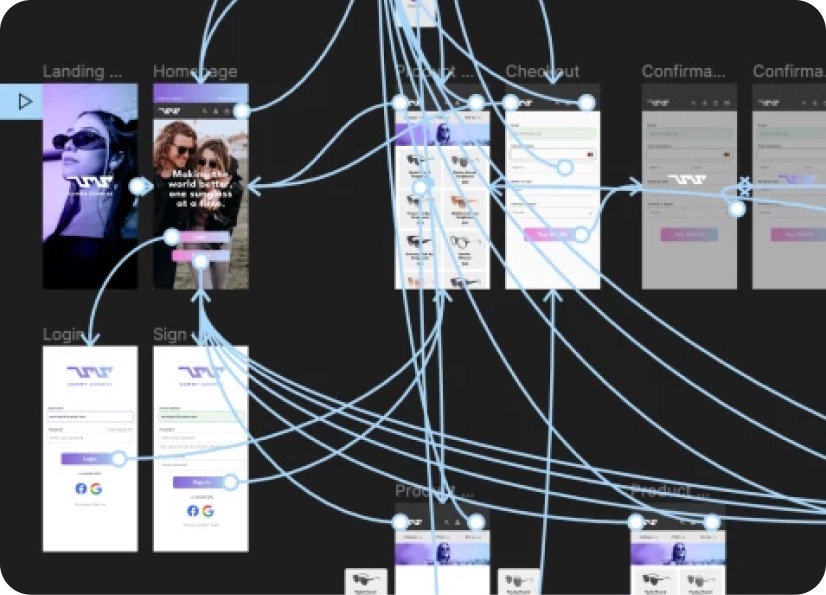
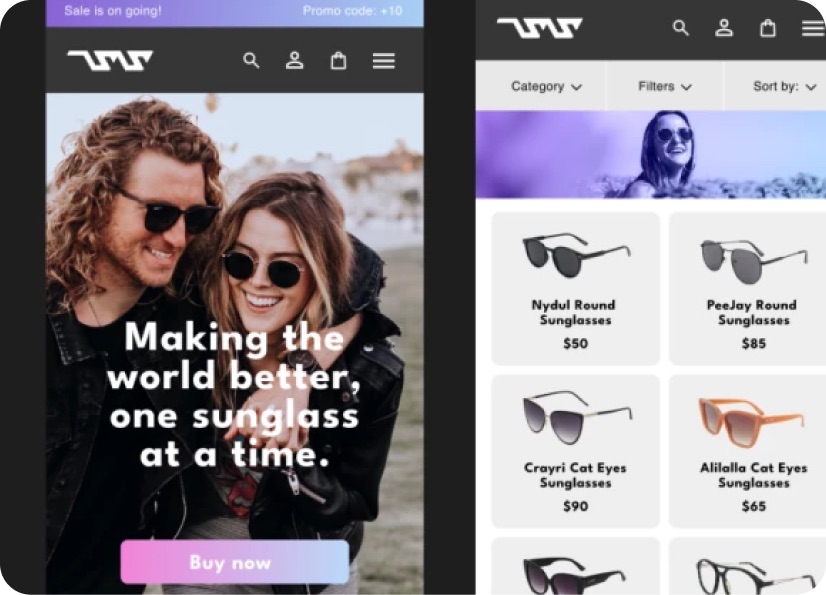
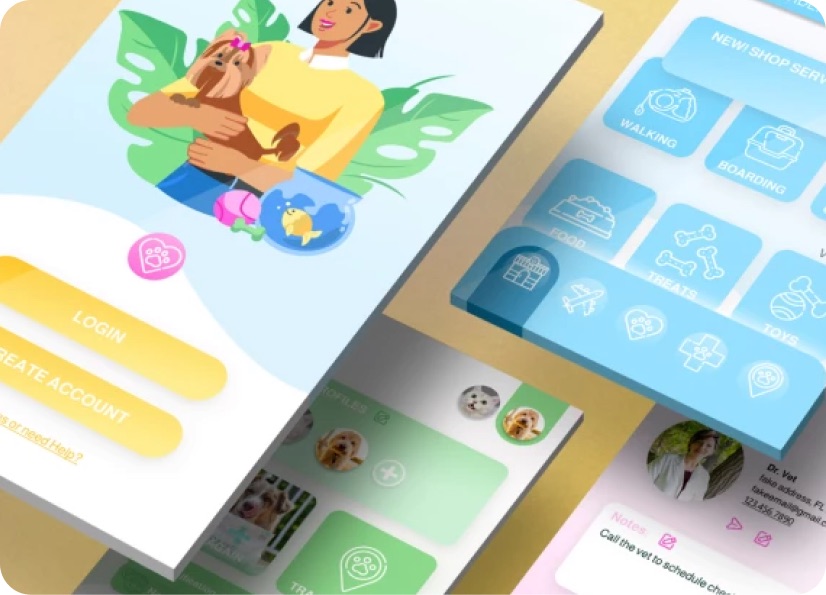
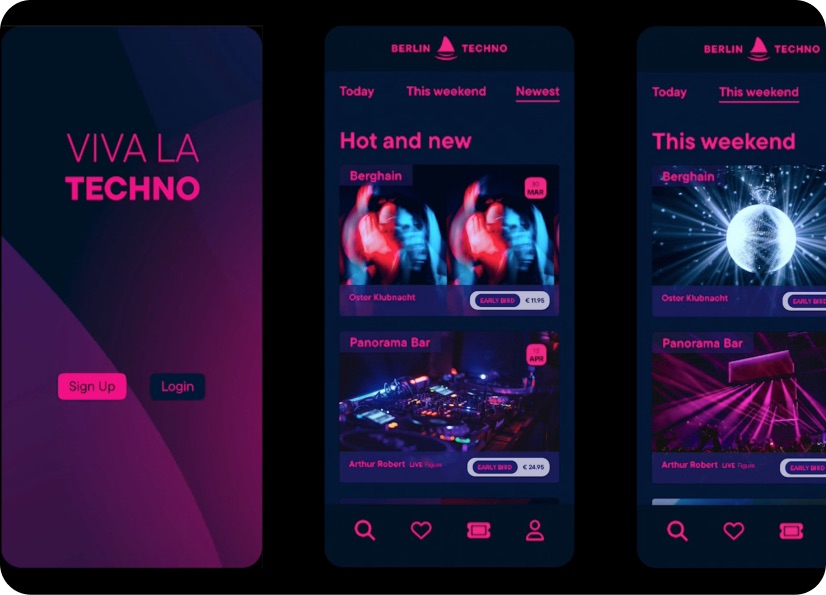
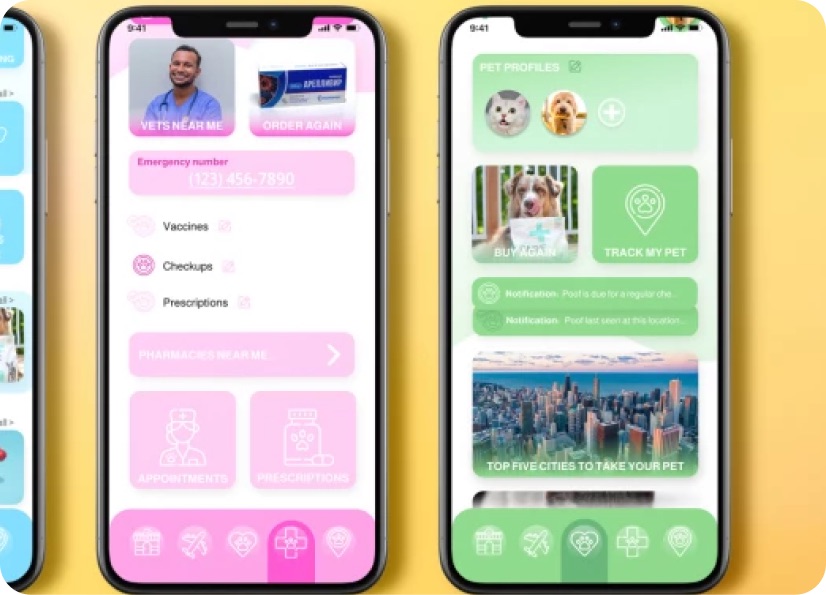
Build real world projects as you learn, create portfolio worthy work, and gain practical experience by doing - not just watching. Share your work with our global creative community, get feedback and support, and learn alongside other students every step of the way.

Meet your instructor
Daniel Walter Scott
Founder of Bring Your Own Laptop & Chief Instructor
Figma | Illustrator | Premiere Pro | Lightroom
I discovered the world of design as an art student when I stumbled upon a lab full of green & blue iMac G3’s. My initial curiosity around using the computer to create ‘art’ developed into a full-blown passion, eventually leading me to become a digital designer and founder of Bring Your Own Laptop.
Sharing and teaching are a huge part of who I am. As a certified Adobe instructor, I've had the honor of winning multiple Adobe teaching awards at their annual MAX conference. I see Bring Your Own Laptop as the supportive community I wished for when I was first starting out and intimidated by design. Through teaching, I hope to bring others along for the ride and empower my students to bring their stories, labors of love, and art into the world.
True to my Kiwi roots, I've lived in many places, and currently, I reside in Ireland with my wife and kids.


Choose your membership plan.
Get unlimited access to every BYOL course and feature. Go monthly for flexibility, or choose yearly and save with our best value option.
Yearly | Best value
- 12 months access for the price of 7
- Save $60.00 vs monthly
- Just $7.00 per month when billed yearly
- Give yourself a full year to level up
- Unlimited access to 35+ design courses
- New course launches and updates
- Take as many courses as you like
- Learn at your own pace
- Class projects & certificates
- Design challenges
- BYOL Expert support
- Private student community
Pay $84.00 today.
Auto-renews annually at $84.00.
Cancel at any time before your renewal.
Monthly | Flexible
- Unlimited access to 35+ design courses
- New course launches and updates
- Take as many courses as you like
- Learn at your own pace
- Class projects & certificates
- Design challenges
- BYOL Expert support
- Private student community
Pay $12.00 today.
Auto-renews monthly at $12.00.
Cancel at any time before your renewal.
Take your design skills to the next level.
Join a private community of designers, with guaranteed feedback and small-group live sessions designed to accelerate your growth.

BYOL+ is for designers who:
- Work solo and want meaningful feedback from peers.
- Are building a freelance business and need guidance.
- Want thoughtful critique to strengthen their portfolio and unlock new opportunities.
"I love the live sessions, the advice has really helped me to move up in my career."
Charlie, BYOL+ student

Includes everything in BYOLCORE, plus:
- 💜 Exclusive BYOL+ Discord community
- ☕️ Live Office Hours with Dan
- ⚡️ Live portfolio review sessions
- 🧠 Live creative community sessions
- 🎬 Live session replay library
- ✏️ BYOL+ exclusive design challenges
- 🔥 Priority BYOL Expert support
- 💬 Priority Class Project feedback
- 📺 Download lessons to watch offline anytime
Pay $199.00 today.
Auto-renews yearly at $199.00.
Cancel at any time before your renewal
Pay $29.00 today.
Auto-renews monthly at $29.00.
Cancel at any time before your renewal
You might also like...


Be the first to hear about new courses and special offers!
