Canva Tutorials
Everything we've written about Canva, in one place. These tutorials come from the same team behind BYOL's Canva Design Essentials course, taught by Daniel Scott. From curving text and custom shapes to brand kits, animation and the background remover, each guide walks you through step by step — and when you're ready to go deeper, our full course picks up where the blog leaves off.
15 tutorials

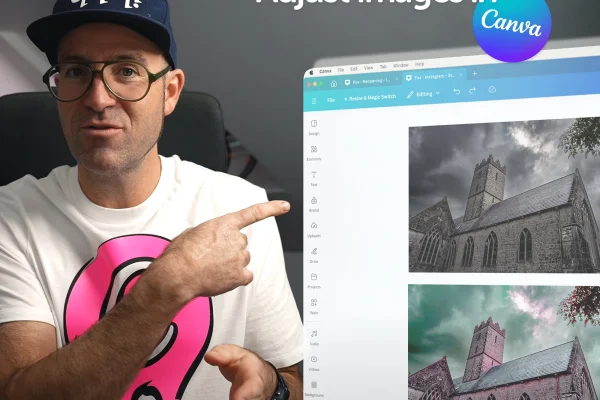
How to Adjust Images in Canva
Discover how to upload, adjust, enhance, and transform your photos with Canva’s powerful built-in editing tools – no Photoshop required.

How to Animate Text in Canva
How to Animate Text in Canva – Easy Guide for Stunning Videos
How to Make Custom Shapes in Canva
Master Shape Customization to Create Unique Designs Beyond Templates
Brand Kits in Canva
Master Professional Branding with Canva's Premium Design Tool
Canva Common Questions & Answers
Unlocking the Power of Canva for Quick and Easy Design Solutions
Design a Professional Logo in Canva
A Comprehensive Guide to Crafting a Memorable Brand Identity Through Logo Design and Branding
8 Canva Features Only Design Experts Know
Professional Designer’s Guide to Mastering Canva: Tips and Tricks for Stunning Results
Mastering Group, Lock & Align in Canva
Streamline Your Design Workflow with These Essential Canva Techniques
How to Curve Text in Canva
Master Canva's Curve Tool for Beautiful Instagram Posts
How to Trim Video in Canva
Master the Basics of Video Editing in Canva with This Step-by-Step Guide
How to Use the Background Remover in Canva
A Step-by-Step Guide to Mastering Canva’s Background Remover Tool for Pro-Level Designs
How to Use the Canva AI Image Generator
Unlock Your Creative Potential with Canva's AI Image Generator
How to Use Frames in Canva
Learn how to use Canva Frames to create standout designs for social media and more
What is Canva?
Discover why millions love Canva and how it can elevate your design skills—whether you’re a beginner or a pro!
Ready to go beyond the blog?
Our Canva courses take you from your first steps to advanced techniques, one bite-sized video at a time.
Explore our courses