What Are the Best Adobe InDesign Courses? (2026)

@dan
The best Adobe InDesign course for most beginners in 2026 is InDesign CC Essentials by Daniel Walter Scott with Khara Plicanic. Choose LinkedIn Learning for specialist production depth, Domestika for editorial craft, Envato Tuts+ for the best free start, and Daniel Walter Scott's Advanced course once you can already build and export a clean document.
Disclosure: this guide is published by Bring Your Own Laptop. Where we recommend Bring Your Own Laptop training, we identify the current teaching credit, show the evidence behind the choice and name stronger alternatives for specialist work.
Which Adobe InDesign course is best for you?
Choose by outcome, not by runtime. A beginner making brochures needs a structured project path; a production designer handling 200-page reports needs styles, Word import, automation and preflight; an editorial designer also needs typography, grids and composition. Those are different jobs, so no single course wins every category.
Best for | Course | Access / price check |
|---|---|---|
Best overall beginner course | InDesign CC Essentials — Daniel Walter Scott with Khara Plicanic | Udemy purchase, Skillshare membership or Bring Your Own Laptop membership; 11h 54m / 99 lessons |
Best specialist library | David Blatner, Nigel French, Mike Rankin and Anne-Marie Concepción | LinkedIn Learning subscription or institutional access; course lengths vary |
Best editorial craft route | Introduction to Adobe InDesign — Javier Alcaraz | Domestika purchase or Plus; regional promotional price varies |
Best free full course | Adobe InDesign for Beginners — Daniel Walter Scott | Free on Envato Tuts+; 2h 23m |
Best next step | InDesign CC Advanced — Daniel Walter Scott | Udemy purchase or Bring Your Own Laptop membership; 8.5h; last updated Jan 2025 |
Course facts and prices were checked on 7 September 2026. Marketplace and subscription prices are personalised by country and promotion, so use the table as a comparison of access models and confirm the final price, currency and renewal terms at checkout.
What is the best InDesign course for complete beginners?
Our first choice is Adobe InDesign CC Essentials on Bring Your Own Laptop or Udemy. The current listing credits Daniel Walter Scott and explains that the refreshed curriculum was developed with educator Khara Plicanic, who leads the lessons. That co-credit matters: this is not an old course with a new year pasted onto the title.
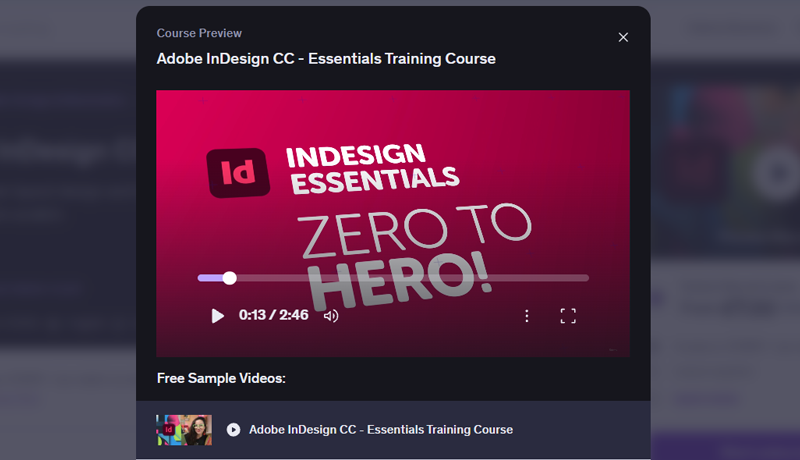
Udemy InDesign Essentials course preview
The July 2026 update contains 99 lectures and 11 hours 54 minutes. At the time of checking it held a 4.7/5 rating from 19,593 ratings and 75,778 students. More importantly, it moves through realistic briefs: a flyer, tri-fold brochure, fillable PDF form, magazine and reusable social layouts. It teaches parent pages, styles, tables of contents, links, packaging, preflight and common production errors, not only menus.
The same Essentials curriculum is available through Bring Your Own Laptop and Skillshare. Buy on Udemy when you want one course with conditional lifetime access. Choose Bring Your Own Laptop when you also want the wider course library, exercise files, community support, class projects and certificates: its US page showed US$84 yearly or US$12 monthly. Choose Skillshare only if the broader membership already suits your learning plan.
Which InDesign courses are best for long documents and production work?
LinkedIn Learning has the strongest specialist InDesign teaching bench. Start with InDesign 2025 Essential Training by David Blatner (5h 22m), then add only the module your job needs: Creating Long Documents by Mike Rankin (3h 28m), InDesign: Typography by Nigel French (4h 57m), or InDesign to EPUB by Anne-Marie Concepción (4h 17m).
That depth beats a single all-purpose course when you are building books, annual reports, catalogues, accessible PDFs or repeatable publishing systems. The catalogue also includes focused material on Word integration, GREP, advanced styles and print production. LinkedIn Learning is subscription-based and regional pricing can be difficult to verify publicly; check whether your employer, university or local library already provides access before paying.
Which InDesign course is best for editorial design and typography?
Introduction to Adobe InDesign by Javier Alcaraz is the strongest craft-led alternative. It is a five-course Domestika Basics pathway taught by an editorial and typeface designer, with lessons on the interface, documents, text, styles, images and editorial output. The live page showed 58,369 students and 99% positive reviews from roughly 1,600 reviews.
Choose it when your priority is editorial sensibility and you are comfortable learning through translated audio or subtitles. Domestika prices and Plus offers change by country and campaign, so compare the one-off purchase with the renewal terms shown to you. The limitation is the other side of its strength: it is less useful than LinkedIn Learning for deep enterprise production, and less current than the July 2026 Bring Your Own Laptop/Udemy curriculum for matching today’s interface.
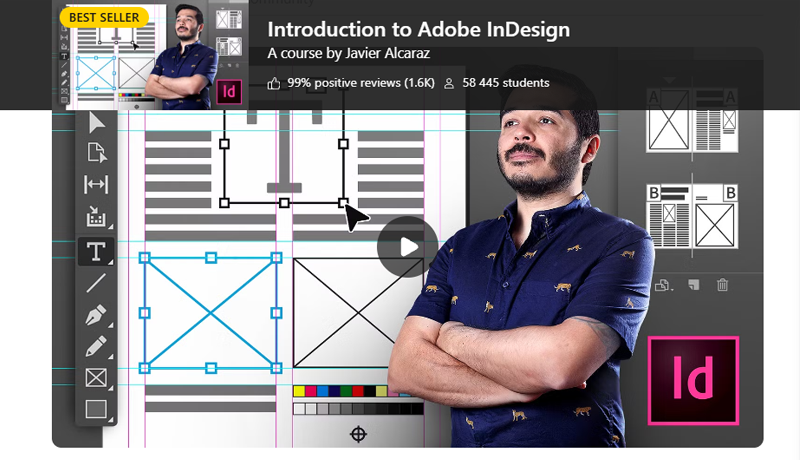
Promotional course banner for Introduction to Adobe InDesign by instructor Javier Alcaraz on Domestika.
What is the best free InDesign course?
Adobe InDesign for Beginners on Envato Tuts+ is the best genuinely complete free starting course we found. Daniel Walter Scott teaches the 2-hour 23-minute class by building a brochure from setup to export. It covers pages and spreads, text, images, resolution, paragraph styles, linked text frames and PDF/JPEG output, and it includes downloadable course files.
It is not as deep or recently rebuilt as the paid Essentials course, but it is far more useful than a sequence of disconnected teaser videos. Pair it with the Adobe InDesign User Guide for exact feature questions and the InDesignSecrets YouTube channel for focused tips. If you finish the brochure and still enjoy the workflow, then pay for a structured next step.
What is the best advanced InDesign course after the basics?
Choose Adobe InDesign CC Advanced by Daniel Walter Scott when you can already place images, format text and export a PDF but want faster, more systematic work. The approximately 8.5-hour course covers advanced styles, automation, long-document features, forms, CC Libraries and more efficient use of InDesign with Photoshop and Illustrator. Its Udemy listing was last updated in January 2025.
For a generalist moving from beginner to confident professional, that is a logical second course. For a publishing specialist, go directly to the LinkedIn Learning module that matches your production problem. An “advanced” label is only useful when the curriculum solves work you actually do.
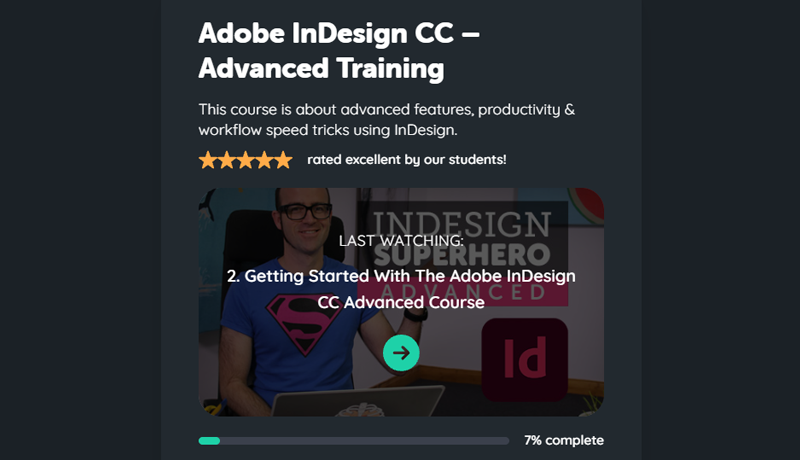
Bring Your Own Laptop Online course dashboard card for Adobe InDesign Advanced course by Daniel Walter Scott
Does a longer InDesign course mean it is better?
No. Runtime measures quantity, not teaching quality, audience fit or successful outcomes. A long course can be excellent, but it can also repeat basic steps, move slowly or cover projects you will never make. Check the instructor, sample lesson, update date, student evidence and finished projects before treating hours as value.
A current warning is Adobe InDesign 2026 Masterclass: Beginner to Expert by Jitendra Pathak. It advertises 33 hours, but the live page showed 4.4/5 from only 37 ratings and 194 students, and the description says it is designed especially for Hindi/Hinglish learners. That may be exactly right for that audience. It is not evidence that every English-language beginner should rank it first merely because a listicle repeats “33 hours.”
Do you need an InDesign course at all?
Not necessarily. If you already understand typography, layout and print production, Adobe documentation plus a focused project may be enough. A course earns its place when it gives you sequence, realistic files, explanation and a deadline. Beginners usually benefit because InDesign’s frames, styles, links, parent pages and output settings make more sense as one system than as isolated tutorials.
Use a small real brief as the test: make a four-page brochure with repeating elements, linked images, paragraph styles, page numbers, bleed and a print-ready PDF. If you can build it cleanly, fix preflight errors and package it for someone else, skip another beginner course and study typography or production instead.
Is InDesign better than Canva for multi-page documents?
InDesign is better for complex, repeatable, print-critical documents; Canva is faster for template-led content and simple collaboration. Choose InDesign for precise typography, long linked text, parent pages, automated styles, books, catalogues and controlled printer hand-off. Choose Canva when speed, browser access, ready-made assets and easy team editing matter more than detailed production control.
Is InDesign or Illustrator better for multi-page work?
Use InDesign to assemble pages and manage text; use Adobe Illustrator to create vector artwork such as logos, icons and illustrations. Illustrator can produce more than one artboard, but that does not make it the better publication tool. A professional workflow often creates graphics in Illustrator, edits images in Photoshop and links both into InDesign for layout and output.
How do you set up bleed, preflight and package an InDesign file?
A good beginner course should teach the complete hand-off, because a beautiful layout can still fail at print. Use this simple sequence:
Bleed: ask the printer for its specification, enter it in Document Setup and extend any edge-to-edge artwork to the bleed guides. At export or print, include the document bleed settings and only the marks the printer requests.
Preflight: open Window > Output > Preflight. Adobe says live preflight flags missing fonts, modified links, overset text and low-resolution images. Resolve the errors under the profile required for the job.
Package: after preflight, choose File > Package and review the summary. Collect the InDesign file, linked assets, permitted fonts, instructions and, when useful, an IDML and reference PDF. Respect font and image licences rather than assuming every asset may be redistributed.
Do not invent a universal bleed value. Three millimetres or 0.125 inches is common in many workflows, but the printer’s specification is the source of truth. Likewise, “no preflight errors” only means the active profile found no listed errors; it does not replace checking the PDF and printer requirements.
How long does it take to learn Adobe InDesign?
You can learn enough to build a simple flyer or brochure in a focused weekend. Expect roughly 20–30 deliberate hours, including practice, to become comfortable with frames, styles, pages, links and export. Production confidence takes longer because it comes from fixing real documents: long text, late edits, missing assets, colour decisions and printer feedback. Measure progress by what you can deliver, not videos watched.
What is the best InDesign learning path in 2026?
Start with one complete beginner project, then add design judgment and production depth. The most efficient route is:
Step 1: test the free Envato Tuts+ course and finish its brochure.
Step 2: take the refreshed Essentials course through Udemy, Skillshare or Bring Your Own Laptop if you want a fuller project sequence.
Step 3: study layout and typography deliberately; software fluency alone does not create a good page.
Step 4: add Daniel Walter Scott’s Advanced course for broader speed and workflow, or choose a LinkedIn Learning specialist for books, EPUB, typography or production.
Step 5: build an original multi-page portfolio piece and take it through bleed, preflight, packaging and final PDF inspection.
That path is less glamorous than buying the largest bundle, but it creates evidence: a document you designed, revised and delivered correctly. That is what makes an InDesign course valuable.
Popular posts
What Are the Best Canva Courses in 2026?
Daniel Walter Scott

Is Figma Free or Paid in 2026?
Daniel Walter Scott
What Are the Best Figma Courses in 2026?
Daniel Walter Scott
How Do You Choose an Online Design Course? (2026)
Daniel Walter Scott
Go from zero to design hero with our awesome courses!