What Are the Best Figma Courses in 2026?

@dan
Disclosure: Bring Your Own Laptop sells Figma training, including courses listed here, so we have a commercial interest in this comparison. Other prominent results also come from businesses with something to sell, including Designlab, Untitled UI, Class Central and Coursera. Our short answer is still simple: use Figma's free official course if you only need tool literacy, choose the Google UX Design Professional Certificate if you are changing careers, and pay for a focused Figma course when you want a sequenced path, projects and support.
Which Figma course is best for you?
The best Figma course depends on the result you need. A complete beginner can learn the interface, frames, auto layout, components and prototyping without paying. A paid course becomes useful when self-directed tutorials leave gaps, while a broader UX certificate or mentored bootcamp makes sense only when the goal is a career transition rather than software competence.
Best for | Best course or route | Time and current access |
|---|---|---|
Free tool literacy | Figma Design for beginners plus Figma Learn | Free; official course uses the free Starter plan |
Paid beginner path | Figma UI UX Design Essentials by Daniel Walter Scott | Udemy: 95 lectures, 9h 29m; Bring Your Own Laptop: 97 lessons, 10h |
Career change | Google UX Design Professional Certificate | 8-course series; about 6 months at 10h/week; US/Canada $49/mo |
Advanced Figma | Figma Advanced Tutorial: Become a Figma Pro | Bring Your Own Laptop: 110 lessons, 9h, 36 quizzes, 23 projects |
UX theory library | Interaction Design Foundation membership | 41 courses and 908 hours; page checked showed €20/mo billed yearly |
Mentored bootcamp | Designlab UX Academy | 21 weeks full-time or 36 weeks part-time; $7,999-$8,499 upfront |
Maximum volume | Complete Figma Megacourse | Aggregator listing: 41h 24m; verify the live Udemy page before buying |
What is the best Figma course for complete beginners?
Our best paid beginner pick is Figma UI UX Design Essentials by Daniel Walter Scott. It starts without assuming design or UX experience and follows one project from a brief and persona through wireframes, visual design, components, responsive layouts, prototypes and developer handoff. That project sequence matters more than a long list of disconnected features.
The current Udemy listing shows 95 lectures and 9 hours 29 minutes, a 4.7 rating from 48,359 ratings, and 211,346 students. It was last updated in May 2026. The Bring Your Own Laptop course page packages the path as 97 lessons across 10 hours, with 35 quiz questions, 20 class projects and a certificate of achievement. Those counts differ because the platforms organise supporting material differently.
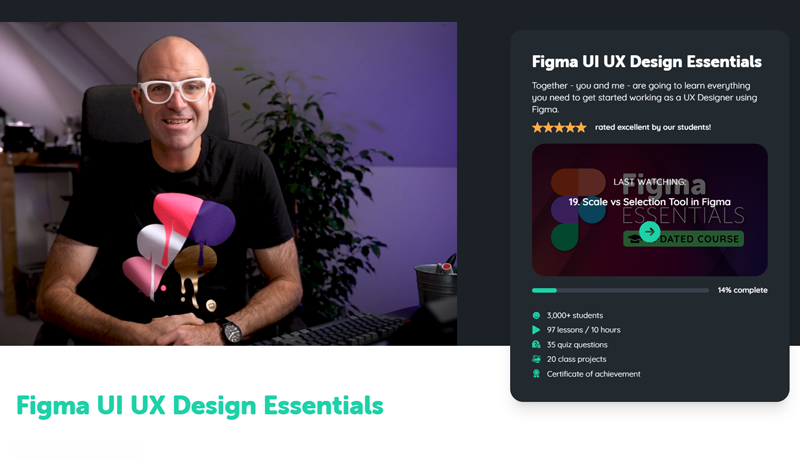
Course dashboard for Figma Essentials featuring instructor Daniel Walter Scott
Where can you take Daniel Walter Scott Figma training?
You can take the beginner course as a one-off purchase on Udemy or through a Bring Your Own Laptop membership.
Choose Udemy if you want permanent access to this single course for one checkout price. Udemy discounts change frequently, so compare the live price rather than relying on a quoted sale figure. Choose Bring Your Own Laptop if you plan to take more than one design course or want quizzes, class projects, certificates, expert support and the wider community. BYOL+ adds live office hours, portfolio reviews, dedicated Discord group, and live Design Theory sessions and much more. Membership prices are localised: during this review, the advanced-course page displayed US$12 monthly orUS$84 yearly. Check the amount and renewal currency shown to you before subscribing.
Is a free Figma course enough?
Yes. Free training is enough to become comfortable with Figma's core tools. Start with the official Figma Design for beginners course, which builds a responsive, interactive portfolio site using shapes, text, frames, auto layout, components and prototyping. Figma states that every required feature is available on the free Starter plan. The wider Figma Learn library adds short projects and current feature tutorials.
For a longer project-based walkthrough, freeCodeCamp's six-hour 2026 course covers the interface, style guides, wireframes, high-fidelity prototypes, components, auto layout, constraints and several practice projects. The older official Figma for beginners playlist remains useful for short explanations. Flux Academy, DesignCourse, AJ&Smart, Caler Edwards and Envato Tuts+ are useful when you need another explanation of a specific workflow.
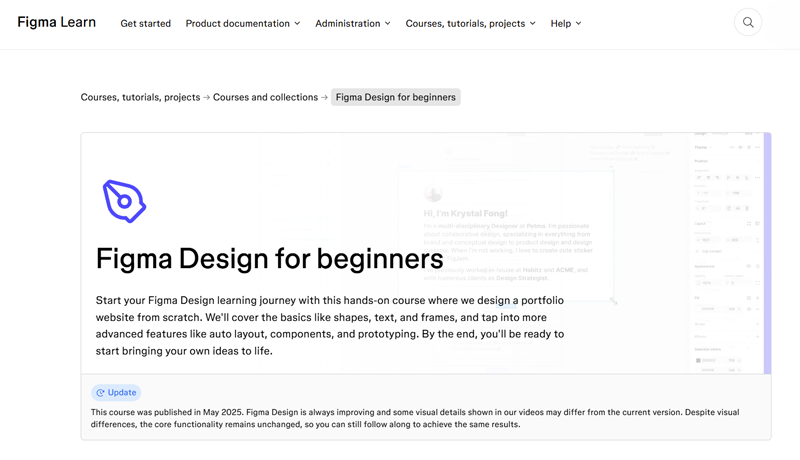
Official Figma Learn tutorial landing page for the beginner course Figma Design for beginners
What do paid Figma courses add?
Paid courses mainly buy structure. A good one decides what to learn next, gives you a realistic brief, makes you finish work and offers a way to check your understanding. Some add feedback or a certificate. They do not unlock secret Figma tools, and they cannot replace repeated practice. If you can set your own projects and diagnose gaps with official documentation, you may not need one.
Before paying, inspect the syllabus for auto layout, components and variants, variables, prototyping, accessibility, collaboration and developer handoff. Check the update date as well. Figma changes quickly, and a course can teach sound principles while showing an older interface. Recent interface footage reduces avoidable confusion for beginners.
Is the Google UX Design Certificate better for career changers?
Usually, yes. The Google UX Design Professional Certificate is the better purchase when you need a broad introduction to UX, portfolio projects and a recognisable Google-branded credential. Coursera currently presents it as an eight-course series taking about six months at 10 hours per week. It includes more than 200 hours of instruction and three end-to-end portfolio projects.
Figma is a tool inside the programme rather than its sole subject. The curriculum also covers research, problem definition, ideation, accessibility, wireframing, usability testing and iteration. In the United States and Canada, Coursera lists US$49 per month after a seven-day trial and says most learners finish for under US$300. This is a stronger fit for a career-changer than a nine-hour tool course, but it asks for much more time and does not guarantee a job.
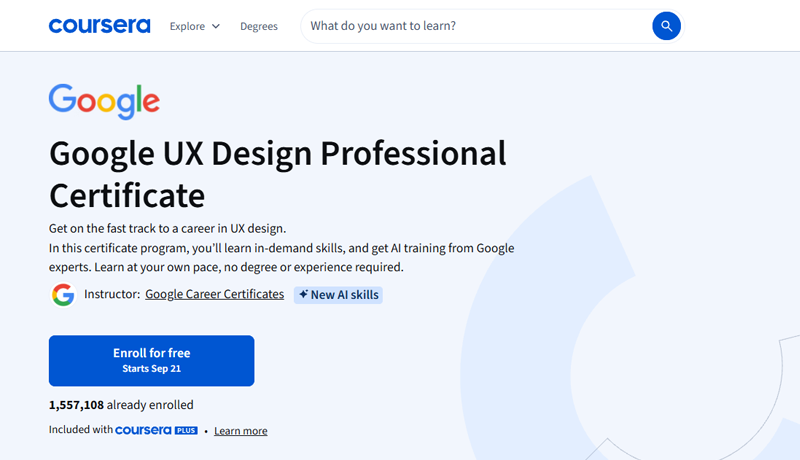
Coursera enrollment overview page for the Google UX Design Professional Certificate program
What is the best advanced Figma course?
Our advanced pick is Figma Advanced Tutorial Become a Figma Pro on Bring Your Own Laptop. It is designed for learners who already know the interface and basic components. The current course page lists 110 lessons across nine hours, 36 quiz questions and 23 class projects.
The course earns its advanced label through responsive auto layout, nested layouts, component properties and variants, variables for themes and conditional behaviour, design systems, complex prototypes, accessibility, Dev Mode, shared libraries, version history and large-file maintenance. Take it after you can build a simple responsive screen and prototype without following every click. Otherwise the Essentials course will be a more efficient starting point.
Are IxDF and Designlab worth the extra cost?
Interaction Design Foundation is worthwhile for UX theory, not for learning Figma quickly. Its membership page currently lists 41 courses and 908 hours of material; the page served during research showed €20 per month billed annually. Choose it for human-computer interaction, research, usability and design principles, then practise those ideas in Figma.
Designlab UX Academy is a different purchase. It combines a project curriculum with 30 mentor sessions, group critiques, portfolio work and career support. The main programme lasts 21 weeks full-time, 36 weeks part-time or up to 18 months self-paced. Current upfront tuition is US$7,999 with the Foundations credit or US$8,499 without it; instalments and long-term financing cost more. It can make sense if you have budgeted for an intensive mentored career transition. It is excessive if you only want to learn Figma.
The Complete Figma Megacourse is the opposite: maximum video volume at a typical Udemy price. The current Class Central listing reports 41 hours 24 minutes, substantially more than the 24-hour figure in the original brief. Length is not proof of better teaching. Preview the instructor, check the live update date and confirm that the current syllabus covers variables and newer workflows before buying.
Should you choose a Figma course or a UX course?
Choose a Figma course when your immediate task is to design screens, build components, create responsive layouts or hand work to developers. Choose a UX course when you also need to learn how to identify the right problem, research users, test assumptions and explain why a design changed. The distinction matters because fast software operation can still produce weak product decisions, while strong UX theory without regular tool practice can leave a portfolio looking unfinished.
For most beginners, the efficient route is sequential. Learn enough Figma to make ideas tangible, then add UX research and usability testing. Career-changers can reverse the emphasis by using the Google certificate as the main programme and treating Figma tutorials as targeted support whenever the interface slows them down.
What should a Figma course help you add to a portfolio?
A useful course should leave you with evidence of decisions, not only attractive screens. Aim for one responsive website or app flow, a component set with variants, a small token or variable system, an interactive prototype and a short handoff example. For each project, show the brief, the user need, early wireframes, feedback, iterations and the final result. If every learner finishes with the same template, adapt the brief and visual direction so the work is recognisably yours.
Do Figma certificates matter?
A certificate can show that you completed a structured programme, but your portfolio carries more weight. A hiring manager can assess a case study, prototype and design-system sample directly. They cannot infer the quality of your decisions from a completion badge alone. The Google certificate has the clearest value as a broad, shareable credential; Bring Your Own Laptop certificates document course completion and project work. Neither substitutes for explaining the problem, research, trade-offs and iterations behind a design.
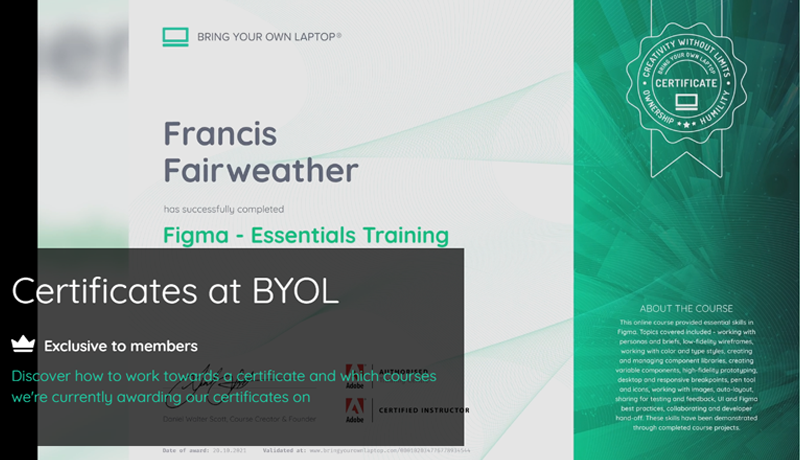
Bring Your Own Laptop completion certificate for the Figma - Essentials Training course awarded to a member.
How long does it take to learn Figma?
You can learn the basic interface in a day and become independently productive in one to two weeks of focused practice. Reaching professional confidence takes longer because the hard part is applying the tool to responsive layouts, reusable systems, accessibility and team handoff. A six-to-ten-hour course is enough to start. Expect several weeks of projects before your work becomes consistent, and several months if you are learning UX alongside Figma.
You do not need a paid Figma plan to begin. The Starter plan is free and includes unlimited drafts, UI kits and templates. Paid plans add team and workflow features. If software cost is the question behind your course search, use our separate guide to whether Figma is free before choosing training.
What is the best Figma learning path in 2026?
Start free, then pay only for the gap you can name. Complete Figma's official beginner course and rebuild one interface without following the video. If you stall because the material feels scattered, take Figma UI UX Design Essentials on Udemy or Bring Your Own Laptop. If you want an entry-level UX career, choose the Google certificate or, with a much larger budget and a need for mentorship, Designlab. Move to the Bring Your Own Laptop advanced course when components, auto layout and basic prototyping already feel routine.
That route keeps the decision tied to an outcome. Free resources teach the mechanics. A focused paid course supplies sequence and practice. A career programme adds UX breadth, portfolio structure and a credential. The most expensive option is useful only when you need the service it adds.
Popular posts
What Are the Best Canva Courses in 2026?
Daniel Walter Scott

Is Figma Free or Paid in 2026?
Daniel Walter Scott

What Are the Best Adobe InDesign Courses? (2026)
Daniel Walter Scott

How Do You Choose an Online Design Course? (2026)
Daniel Walter Scott
Go from zero to design hero with our awesome courses!