Is Figma Free or Paid in 2026?

@dan
Yes. A solo learner can use Figma Starter and complete an entire beginner course without paying. The often-quoted three-file limit applies to files stored in the team's single folder, not drafts: Starter allows unlimited drafts. Upgrade only when you need edit collaboration, shared libraries, Dev Mode, longer version history or more organised files.
Pricing correct as of 23 September 2026. Bring Your Own Laptop sells Figma training, so we have a commercial interest in the learning comparison below. The recommendation remains free-first: do not buy software or a course until a specific limit is holding you back.
How much does Figma cost in 2026?
Figma has a free Starter plan and three paid plans. The prices below come from Figma's official pricing page. They are monthly USD prices per seat. Professional is shown on the monthly-billing tab; Organization and Enterprise are billed annually. Figma changes prices and packaging, so check the live page before purchasing.
Plan | Full seat | Dev seat | Collab seat | Best for |
|---|---|---|---|---|
Starter | Free | Not sold | Not sold | Solo learning and basic work |
Professional | $16/mo | $12/mo | $3/mo | Solo professionals and one team |
Organization | $55/mo | $25/mo | $5/mo | Multiple teams and shared systems |
Enterprise | $90/mo | $35/mo | $5/mo | Large firms needing advanced control |
Is Figma really free for beginners?
Yes. Figma Starter includes the Figma Design editor, components, auto layout, prototypes, Community resources and unlimited drafts. Those features cover the core work in a beginner UI or UX course. You can create many private practice files in drafts, so the free plan is not limited to three pieces of coursework.
The three-file rule applies inside the Starter team's one shared folder. That folder can hold three Figma Design and Figma Sites files in total, plus three FigJam files and three Figma Slides files. Figma currently sets no Starter file limit for Buzz or Make, although Make usage is controlled by AI credits.
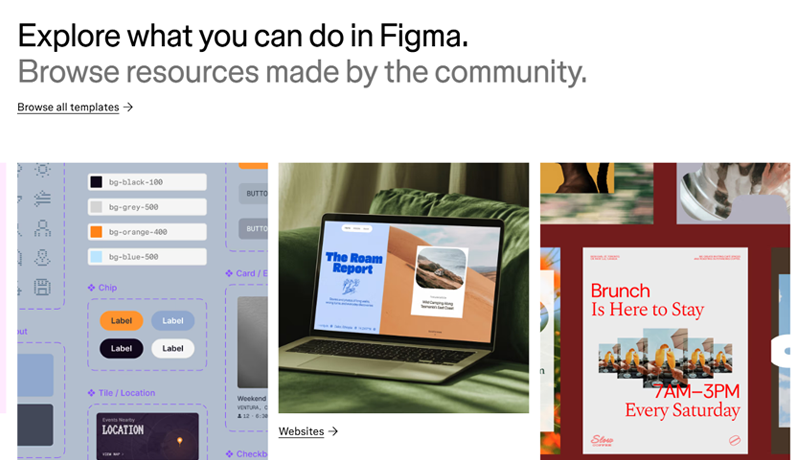
Figma is the best UX and UI tool, supported by a massive creative community
What are the limits of the free Figma Starter plan?
Starter is generous for learning, but the limits become noticeable when you organise work for other people or move into a professional team workflow.
Collaboration: drafts can be shared with unlimited viewers, but another person cannot receive edit access until the file is moved into the team folder.
Organisation: the team has one folder, and everyone on the plan can access it. Private folders require a paid plan.
Version history: Starter keeps 30 days. Paid plans provide unlimited version history.
Libraries: you can create components, styles and variables in a file, but you cannot publish a team library for reuse across files.
Developer handoff: Dev Mode is not included. Viewers can still perform basic inspection, view properties and measurements, copy CSS, iOS or Android code, and export permitted assets.
Publishing and security: the plan omits Figma Sites publishing, single sign-on and advanced security controls.
AI is more nuanced than many comparisons suggest. Starter includes 500 AI credits per month with a 150-credit daily limit. However, access depends on the feature. Figma says many standalone AI tools require a paid plan, while Starter users can explore selected agent-based features and limited Figma Make workflows.
When does a learner actually need to pay for Figma?
Pay when a real project needs a paid workflow, not because a tutorial says "three files" without explaining drafts. A learner normally reaches that point when another person must edit a draft, a class or client needs more than three organised team files, components must be shared through a library, a developer needs full Dev Mode, or the project needs version history older than 30 days.
A solo learner who is building wireframes, components, responsive screens and interactive prototypes can stay on Starter. Even portfolio work can remain in drafts until it needs structured team collaboration. Keep local backups of important files and move only active collaborative work into the limited team folder.
What do Full Dev Collab and View seats include?
Figma sells access through seats rather than selling Design, FigJam or Dev Mode as separate subscriptions. A Full seat is the designer seat, with full access across Figma products. A Dev seat adds full Dev Mode with view and comment access in Design. A Collab seat is mainly for FigJam and Slides, with view and comment access in Design but only basic inspection. A free View seat can view, comment and export where the owner allows it.
Most individual designers considering Professional need one Full seat. Do not choose a cheaper Dev or Collab seat expecting it to unlock Figma Design editing. The seat type controls the product workflow; file permissions then control what that person can do in a particular file or folder.
Can students and educators get paid Figma features for free?
Eligible students and educators can apply for Figma for Education. Verified higher-education, high-school and approved bootcamp users receive Professional-plan access. Qualifying K-12 users can receive Enterprise access through their school or district. Eligibility, region, verification method and access length vary, and self-directed study alone does not qualify.
If you are currently enrolled or teaching, check the education application before paying. Education status must be reverified. When eligibility ends, a team returns to Starter limits and can lock if it contains more than three organised files, so move or export work before expiry.
Figma for Education can be an awesome place to start, so make sure you fit the requirements and go for it!
Can you learn Figma for free?
Yes. Start with Figma Design for beginners. Figma states that the features used in its official beginner course are available on Starter. The wider Figma Learn collection adds short tutorials and practical projects as the interface changes. This is the best route when your goal is tool literacy and you are comfortable choosing your own practice briefs.
Free lessons can teach frames, auto layout, components, variants, prototyping and the interface completely. They are less reliable at creating a coherent sequence across several weeks or making you finish original work. The missing ingredient is usually not another feature video; it is a project deadline, critique and deliberate repetition.
What does paid Figma training add?
Paid training earns its keep through sequence, project briefs, feedback, support and evidence of completion. For example, the Figma UI UX Design Essentials course on Bring Your Own Laptop currently contains 97 lessons, 35 quiz questions and 20 class projects. It is taught by Daniel Walter Scott.
Do not pay simply for access to explanations that already exist free. Pay when you want a paced path, portfolio prompts or human help. If you are changing careers and need user research, usability testing and case studies as well as Figma, the Google UX Design Professional Certificate is often a better purchase than a Figma-only course. For more options, compare our independently framed guide to the best Figma courses in 2026. A certificate can document study, but the portfolio remains the stronger proof of design ability.
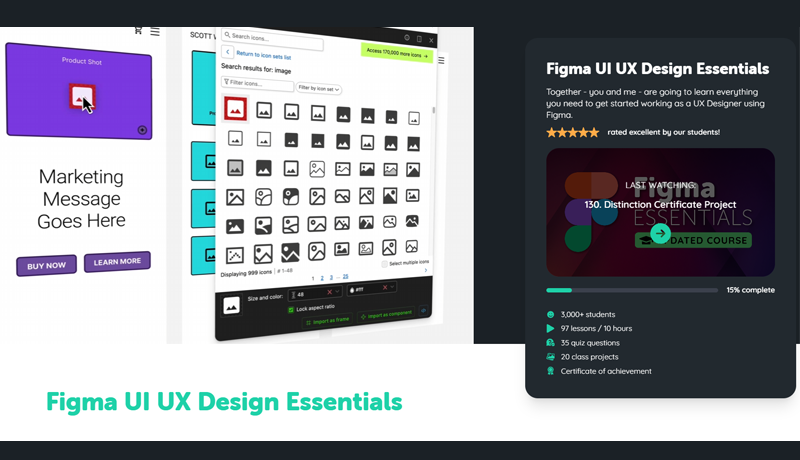
Bring Your Own Laptop offers a structured learning experience, with expert support
Should you pay for Figma software or training first?
For most beginners, pay for neither at first. Use Starter with Figma's official course, complete a small responsive interface and rebuild it without following the lesson. That test tells you what is missing. Upgrade the software when collaboration or workflow limits block the project. Buy training when the problem is structure, feedback or inconsistent practice.
If budget allows only one purchase, choose the gap that is stopping progress. A paid Full seat does not teach visual hierarchy or UX thinking. A paid course does not give Starter users shared libraries or full Dev Mode. Separating those two decisions prevents a common mistake: subscribing to both before you know whether you need either.
Is Figma Starter enough in 2026?
Figma Starter is enough for a solo beginner, most coursework and early portfolio projects. Its unlimited drafts are the decisive detail that many Figma free-versus-paid comparisons miss. Professional becomes worthwhile when your work becomes collaborative, shared and long-lived. Start free, organise drafts carefully, and upgrade only when you can name the feature or workflow that will repay the cost.
Popular posts
What Are the Best Canva Courses in 2026?
Daniel Walter Scott
What Are the Best Figma Courses in 2026?
Daniel Walter Scott

What Are the Best Adobe InDesign Courses? (2026)
Daniel Walter Scott
How Do You Choose an Online Design Course? (2026)
Daniel Walter Scott
Go from zero to design hero with our awesome courses!