Which Design Course Should I Learn First?

@dan
Learn Illustrator first for graphic design and branding, Photoshop first for photos and image-led graphics, and InDesign first for books or long documents. For UX/UI, start with Figma instead. If cost matters most, the new free Affinity combines vector, photo-editing and page-layout tools in one app.
If you are asking “Which design program should I learn first?”, choose the software that matches the thing you want to make next, not the application that sounds most prestigious. An Illustrator vs InDesign vs Photoshop comparison only becomes useful when it is tied to a real outcome. This goal-first decision table gives you the shortest route to useful work.
What do you want to make? | Learn this first | Why this is the best starting point |
|---|---|---|
Logos, brand systems, icons or packaging | Illustrator | Vector artwork scales cleanly and builds core shape, path and type-as-object skills. |
Photo edits, composites or image-led graphics | Photoshop | Its pixel-based tools are built for retouching, masking, blending and texture. |
Books, magazines, reports or long PDFs | InDesign | It controls pages, flowing text, styles and print-ready output. |
UX/UI, app screens or interactive prototypes | Figma | It is purpose-built for interface design, components, collaboration and prototyping. |
In-house marketing and social content | Canva, then Photoshop | Templates create speed; Photoshop adds image control when standard layouts stop being enough. |
A low-cost route across vector, photo and layout | Affinity | One free app now combines all three professional workflows. |
What are Photoshop, Illustrator and InDesign actually used for?
Photoshop works mainly with pixels. It is the best of the three for photo retouching, compositing, realistic texture, selections and image-led social graphics. Raster images can look soft or blocky when enlarged beyond their original resolution, so Photoshop is not the safest home for a logo that must scale from a business card to a building.
Illustrator works mainly with vectors. Its shapes and paths are defined mathematically, so artwork can scale without losing quality. That makes Illustrator the natural starting point for logos, icons, brand systems, packaging, signage, T-shirts and stylised illustration.
InDesign is a page-layout and publication tool. It manages multi-page documents, master pages, paragraph and character styles, flowing text, linked artwork and print-ready PDFs. In a common workflow, you create images in Photoshop and vector graphics in Illustrator, then place both into InDesign for final assembly.
Should I learn Illustrator first?
Yes, if you want to become a graphic designer or make logos, identity systems, icons, packaging or scalable artwork. Illustrator gives you the strongest foundation in shapes, paths, type as a visual object and colour systems. A structured Illustrator Essentials course should move from selection and simple shapes into the Pen and Curvature tools, typography, colour, export and original projects.
Do not begin with Illustrator simply because “graphic design” appears in the product description. If your immediate job is retouching headshots or laying out a 100-page book, another tool will get you to a finished result faster.
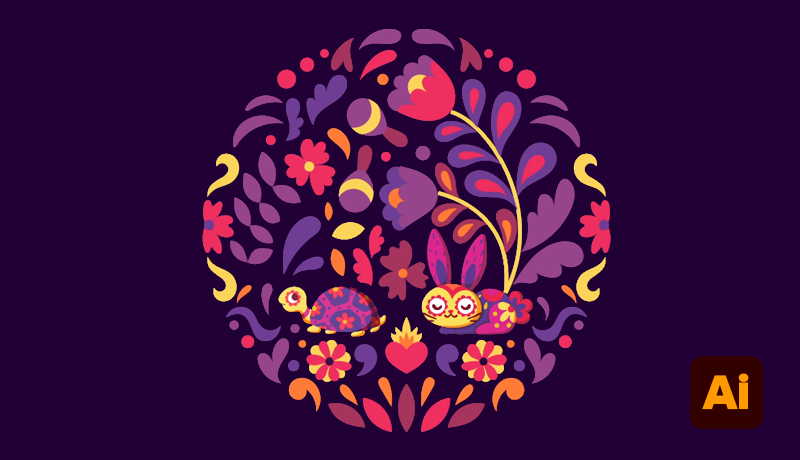
An intricate Mexican folk art-style circular motif designed in Illustrator
Should I learn Photoshop first?
Start with Photoshop when the raw material is photographic: portraits, product images, campaign composites, digital painting or image-heavy social content. Learn layers, selections, masks, adjustment layers, blending and export before chasing effects. Lightroom is often the better first stop for organising and correcting batches of photographs; Photoshop then handles detailed edits and composites.
For marketers, Canva may be the quicker day-one tool because templates handle recurring sizes and channels. Move into a Photoshop Essentials course when you need custom image treatment, accurate masks or artwork that templates cannot supply. Photoshop can create graphics, but logos should normally be built as vectors in Illustrator or Affinity.
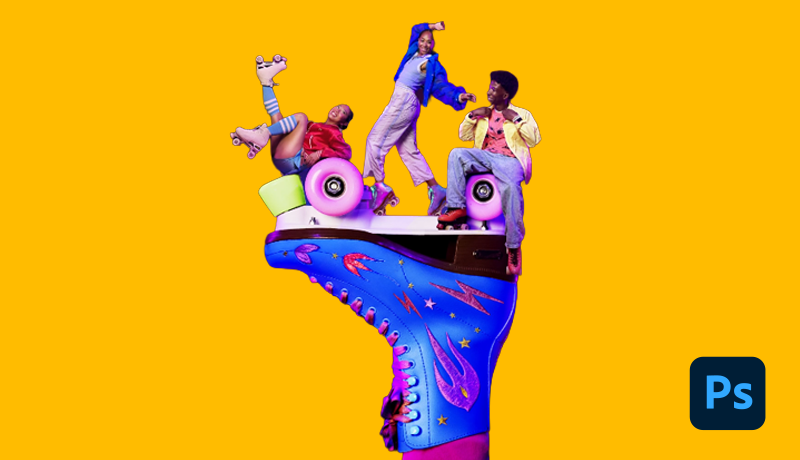
Composite featuring roller skaters posed atop an oversized retro roller skate designed in Photoshop
Should I learn InDesign first?
Yes, if your first outcome is a book, zine, annual report, catalogue, brochure or multi-page PDF. Go directly to an InDesign Essentials course and learn document setup, grids, master pages, styles, text flow, image links, preflight and PDF export. You can add Photoshop or Illustrator later when the cover art or placed graphics demand them.
InDesign is not simply Word with nicer fonts. Its value is production control: repeatable page systems, consistent typography, linked assets and output prepared for commercial print. It is usually the assembly stage rather than the place where you retouch photos or draw a logo.
Should UX designers learn Figma instead?
Usually, yes. If you want to design websites, apps or digital product interfaces, the best first answer is none of the three Adobe apps. Figma is designed for interface layouts, reusable components, design systems, team collaboration and interactive prototypes. Its Starter plan is free, with limits, so you can practise before choosing a paid seat.
A beginner Figma UI/UX course should also teach the work around the tool: briefs, wireframes, responsive layouts, testing and communicating with developers. Photoshop or Illustrator can support a UX workflow for image editing or bespoke vector artwork, but neither should be your default interface-design canvas in 2026.
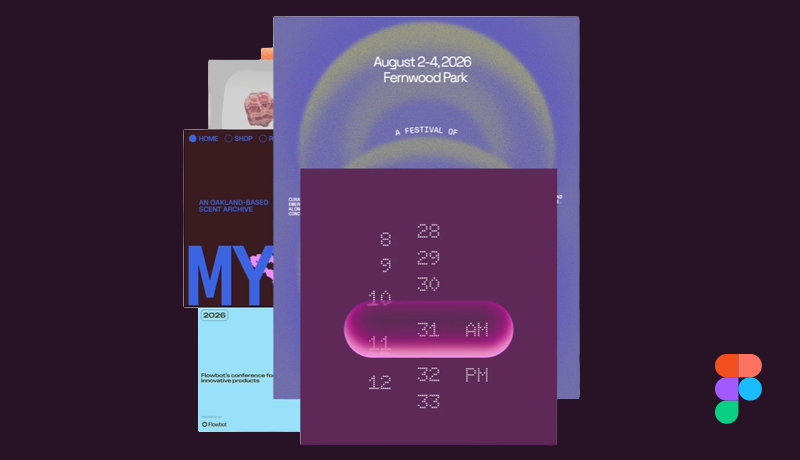
Figma design showcase displaying stacked UI cards, gradient event posters, and a glowing digital time-picker component.
How much do Adobe design apps cost in 2026?
Adobe renamed Creative Cloud All Apps to Creative Cloud Pro and introduced Creative Cloud Standard. The US prices below were checked on 2 September 2026 for annual contracts billed monthly. Taxes, regions, contract types and temporary promotions can change the checkout price.
Adobe plan | US price check | Best fit for |
|---|---|---|
Creative Cloud Standard | US$54.99/mo | 20+ desktop apps; limited web/mobile and generative AI access |
Creative Cloud Pro | US$69.99/mo | 20+ apps plus broader premium AI features and credits |
Student/teacher Pro | US$19.99/mo year one; US$39.99/mo renewal | Eligible students and teachers; Standard is not offered with this discount |
Single app | US$22.99/mo | One main Adobe app; the live Illustrator and Photoshop pages show this price |
Single-app plans normally include a seven-day free trial. Adobe also stopped selling its older Photography Plan with 20GB to new customers on 15 January 2025, although existing subscribers can keep it. Compare the live checkout total and cancellation terms, not just the monthly headline.
Do you need Adobe to learn graphic design?
No. Software is a production choice; graphic design is the practice of organising type, image, colour, space and hierarchy to communicate. You can learn those principles with free software, pencil and paper, or a browser tool. Adobe remains common in professional workflows, but it is no longer the only credible beginner route.
Affinity now combines vector design, photo editing and page layout in one free professional app. Canva reported more than one million sign-ups in its first four days. Other useful choices include Inkscape for vector work, GIMP or Photopea for raster editing, and Canva for fast template-based content.
Is Affinity a free alternative to Adobe?
Yes, especially for beginners who want to explore all three disciplines without the subscriptions. The all-new Affinity combines vector, photo and page-layout work and supports common professional formats including PSD, AI, PDF, SVG, TIFF and IDML. It is a serious option for freelancers, students and small teams.
The trade-off is ecosystem compatibility. An employer, school or client may still require native Adobe files, specific plug-ins or an established Creative Cloud workflow. Learn the transferable concepts first—paths, masks, styles, grids and export—then move tools when the project requires it.
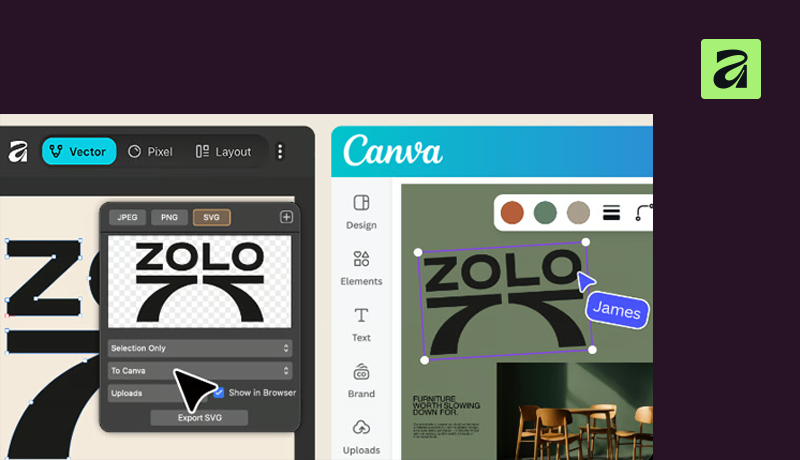
Side-by-side workflow demonstrating vector SVG export from Affinity Designer directly into a Canva workspace.
Do you need to learn Photoshop, Illustrator and InDesign?
Usually not at the beginning. Most people become productive with one main app and one supporting app. A brand designer might use Illustrator plus Photoshop; an editorial designer might use InDesign plus Photoshop; a UX designer might use Figma plus occasional Illustrator. Learn the minimum useful pair for your goal, then add a third tool only when a real project exposes the gap.
Is learning design software the same as learning graphic design?
No. Knowing where the tools are does not automatically create hierarchy, balance, clear typography or an appropriate concept. Pair software exercises with design fundamentals and make original work after each tutorial. When you can explain why you chose a typeface, grid, crop and colour, not only how, you are moving from software operation into design.
Which design course should you take first?
Choose one outcome you can finish in two to four weeks. For brand work, begin with Illustrator Essentials; for image editing, choose Photoshop Essentials; for books and publications, choose InDesign Essentials; and for UX/UI, start with Figma Essentials.
At Bring Your Own Laptop—often shortened to BYOL—these project-led courses are taught by Daniel Walter Scott, whom many learners know as Daniel Scott or Dan Scott. Whichever route you choose, finish one project, make a second version without following the lesson, and only then decide which app belongs next in your toolkit.
Popular posts
What Are the Best Canva Courses in 2026?
Daniel Walter Scott
Is Figma Free or Paid in 2026?
Daniel Walter Scott
What Are the Best Figma Courses in 2026?
Daniel Walter Scott
What Are the Best Adobe InDesign Courses? (2026)
Daniel Walter Scott
Go from zero to design hero with our awesome courses!