Class Project 10 - Unwrapped

This lesson is exclusive to members

Course contents
SECTION: 3
Weird Stuff I wish I knew when I started with Premiere 16:39
SECTION: 4
Project 2 - Wedding 2:46:34
SECTION: 6
Audio 2:27:17
SECTION: 13
Shortcuts 33:06

Questions

1
You are not following this thread
1
You are not following this thread
2
You are not following this thread
1
You are not following this thread
1
You are not following this thread
1
You are not following this thread
0
You are not following this thread
1
You are not following this thread
1
You are not following this thread
1
You are not following this thread
1
You are not following this thread
1
You are not following this thread
2
You are not following this thread
1
You are not following this thread
1
You are not following this thread
1
You are not following this thread
1
You are not following this thread
2
You are not following this thread
3
You are not following this thread
1
You are not following this thread
4
You are not following this thread
2
You are not following this thread
1
You are not following this thread
1
You are not following this thread
1
You are not following this thread
1
You are not following this thread
1
You are not following this thread
1
You are not following this thread
1
You are not following this thread
1
You are not following this thread
2
You are not following this thread
2
You are not following this thread
3
You are not following this thread
2
You are not following this thread
1
You are not following this thread
2
You are not following this thread
4
You are not following this thread
1
You are not following this thread
1
You are not following this thread
2
You are not following this thread
1
You are not following this thread
1
You are not following this thread
1
You are not following this thread
2
You are not following this thread
0
You are not following this thread
6
You are not following this thread
3
You are not following this thread
1
You are not following this thread
0
You are not following this thread
0
You are not following this thread

Student class projects

Avatar

Valerio Ferreira

@valerioFerreira

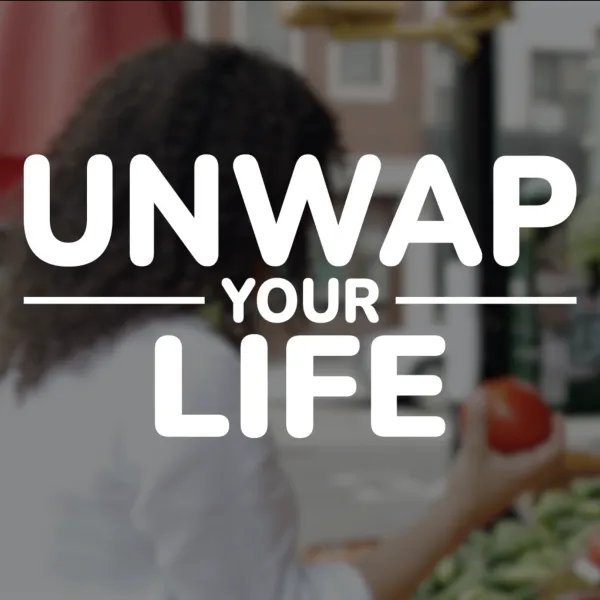
Class Project 10 – Unwrap My Life I completed this project in six phases. Phase One: I listened to all the audio narration provided by Dan. Instead of using only one voice, I decided to use two different voices. I chose Dan's and Trish's voices because I felt they had similarly soothing voices. I also combined Options A and B. Phase Two: I cut different sections from both options, mixed them together, and changed the order of some segments to create the flow of events I had envisioned while listening to the recordings. I then edited the audio using Auto Match and other audio enhancement tools. Phase Three: With the narration in mind, I searched the web for suitable footage, found the clips I was looking for, and downloaded them. Phase Four: I began matching each video clip to the audio snippets I had selected and organized. I arranged everything into a logical sequence based on my vision and connected the clips using Cross Dissolve transitions. After that, I color-corrected each clip with Lumetri Color to ensure they all shared a consistent tone and lighting. I then applied the Fuji Eterna 250D color cast to create a subtle warm look that would evoke the feeling of nature, earth, and sunlight. Phase Five: I remembered that I had created a design for Unwrap Your Life in my Illustrator course. I updated the design to Unwrap My Life in Illustrator, imported it into After Effects, created an animation, and added it to this project as both the introduction and the ending. Phase Six: Finally, I found music on the web that matched the style and mood of the video I wanted to create. I added it to the project and edited it to fit the final sequence. That completes my project. I hope you enjoy it. NOTE: Video is under my wife’s name because my free account on Vimeo wouldn’t accept more uploads so I created another account in her name.

0

Course info

142 lessons / 16 hours 34 quiz questions 10 projects Certificate of achievement

Overview

Hi there, my name is Daniel Walter Scott and I am an Adobe Certified Instructor.

I am here to help you learn Adobe Premiere Pro and to show you the tools you need to become a successful video editor. Premiere Pro is the industry standard used by professional designers to create stunning, high class videos and, after completing this course, you too can become a confident, skillful and efficient creator of stunning videos. 

This course is aimed at people who are completely new to Premiere Pro. 

If you are self taught using Premiere, this course will show you techniques you never dreamed were necessary or possible and will show you efficiencies to help speed up your workflow.

The course covers many topics - all of them on a step-by-step basis. We will use real world video editing examples to work through:
  • An interview
  • A wedding video
  • A short commercial
  • A documentary
  • Social media advertising videos
  • YouTube ‘how to’ videos
  • Talking head footage mixed with screencasts and voiceovers

We will work with text, animation, motion gfx, special effects and we will add music to our video.

We will learn how to do colour correction, colour balancing and also how to create amazing video transitions within our movie. Technical ‘guru’ topics such as HD v 4K, frames per second, exporting work, fixing up bad audio, balancing and synching audio will all become manageable tasks for you. Best of all...I will show you amazing shortcuts and techniques to speed up your workflow.

Throughout the course we will work on mini projects and I will be suggesting assignments which will add value to your portfolio.

Start your Premiere Pro training now and fast track your career as a video editor.

* Please note, you have full permission to transform and upload any work using footage of Daniel as a part of this course. 
Daniel Scott

Daniel Scott

Founder of Bring Your Own Laptop & Chief Instructor

I discovered the world of design as an art student when I stumbled upon a lab full of green & blue iMac G3’s. My initial curiosity around using the computer to create ‘art’ developed into a full-blown passion, eventually leading me to become a digital designer and founder of Bring Your Own Laptop.

Sharing and teaching are a huge part of who I am. As a certified Adobe instructor, I've had the honor of winning multiple Adobe teaching awards at their annual MAX conference. I see Bring Your Own Laptop as the supportive community I wished for when I was first starting out and intimidated by design. Through teaching, I hope to bring others along for the ride and empower my students to bring their stories, labors of love, and art into the world.

True to my Kiwi roots, I've lived in many places, and currently, I reside in Ireland with my wife and kids.

Downloads & Exercise files

  • Powered by Marvin
  • Terms of use
  • Privacy policy
  • Cookie policy
  • © Bring your Own Laptop Ltd 2026